Best Carrier Heat Pump Thermostat: Optimize Efficiency
By Erik Müller • 3rd Mar
A carrier heat pump thermostat paired with thoughtful tuning can be the difference between a system that cycles constantly and one that maintains an even temperature throughout your home. The right model unlocks auxiliary heat optimization, responsive defrost management, and dual-fuel system compatibility, but only if you know which controls to prioritize and how to configure them. This guide walks you through Carrier's thermostat lineup, focusing on the settings and sensor strategies that deliver measurable comfort gains and lower runtime costs.
Why Thermostat Choice Matters for Heat Pump Efficiency
Heat pumps are elegant but demanding systems. Unlike traditional furnaces, they must coordinate heating, cooling, defrost cycles, and auxiliary (strip) heat. Many homeowners see unpredictable bills or morning chill because the thermostat doesn't intelligently manage these transitions. A thermostat that simply turns on auxiliary heat at 35°F outside, instead of learning when the compressor truly needs help, will waste money and create comfort gaps.
Carrier's thermostat lineup includes models specifically designed to support intelligent staging and sensor integration. The difference between a basic model and a capable one often comes down to whether it accepts remote sensors, allows deadband tuning, and exposes heat pump efficiency settings for realistic control.
True efficiency is consistent comfort without cycling or drafts. That principle guides every choice below. For a data-backed look at which models hold setpoints most consistently, see our thermostat temperature stability comparison.
Carrier Performance Series: Advanced Staging and Sensor Integration
Carrier's Performance Series thermostats are built for homes that demand real-time adaptation. These models support intelligent heating and cooling comfort staging, Hybrid Heat® system management, and integration with remote room sensors.
Key Features for Heat Pump Optimization
- Remote Sensor Capability: Add a sensor to a drafty hallway or cold bedroom. The thermostat averages readings and shifts staging points in real time. This directly flattens temperature swings that auxiliary heat usually masks.
- Hybrid Heat® Management: Coordinates when the compressor should operate versus when auxiliary heat should run. Proper deadband tuning here prevents the expensive resistance coils from kicking in prematurely.
- Intelligent Staging: Instead of simple on/off logic, these models stage heating and cooling gradually, reducing short-cycling and runtime volatility.
- Smart Recovery: During unoccupied periods, the thermostat learns your setpoint and activates recovery heating or cooling well before your return time, reducing the reliance on auxiliary bursts.
- Duct Temperature Sensing: Some Performance models include duct temperature (LAT) sensors, which allow the system to detect when defrost cycles are ending and automatically reduce auxiliary heat activation.
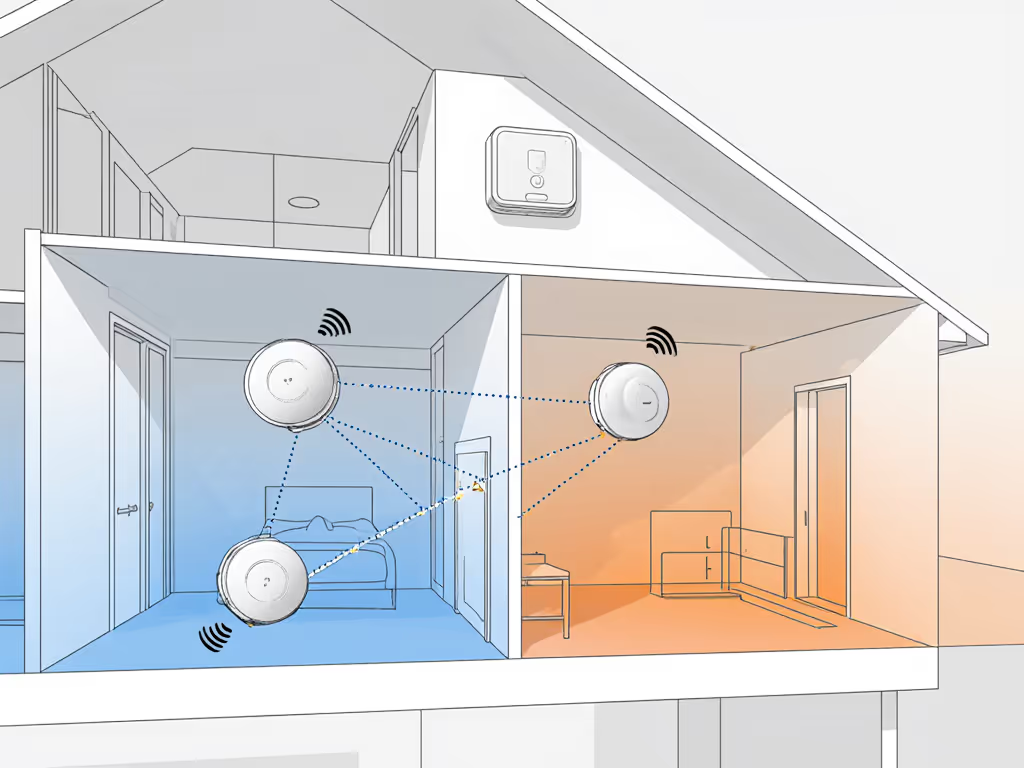
I've spent years mapping runtime and duty-cycle charts in homes with heat pumps. The before/after picture is striking: homes with basic thermostats show compact clusters of short runtimes interspersed with spikes: auxiliary heat engaging, compressor kicking in, then cycling off. Homes with Performance-series thermostats show broader, more gradual curves. The compressor runs a bit longer, but fewer times, and auxiliary heat activates only when truly needed. That's the profile of a system that isn't fighting itself.
Comfort Series: Reliable Core Functionality for Mid-Range Needs
Carrier's Comfort Series provides solid staging capability, auto changeover, and Touch-N-Go® quick-adjustments without the remote sensor and zoning complexity. These are ideal if your home doesn't need multi-zone control but you still want programmable setpoints and readable displays.
Standard and Optional Features
Standard Across Comfort Models:
- Intelligent, heating- and cooling-comfort staging capable
- Auto changeover between heating and cooling
- Weekday/weekend programming with up to four periods per day
- Vacation hold mode
- Routine service and filter replacement reminders
- 5-year parts limited warranty
Optional Enhancements:
- Remote sensor for feed-forward temperature averaging (available on some models)
- Three-zone panel compatibility (ZONECC3ZHP01 or ZONECC3ZAC01)
- Outdoor air temperature (OAT) sensor for context-aware auxiliary heat decisions
Comfort Series models are pragmatic: they handle heat pump coordination without overcomplicating your setup. If your home has even temperatures and you don't have a known cold zone, a Comfort model is a cost-effective entry point into intelligent control.
Multi-Zone Systems: When You Need Granular Control
Carrier offers 2-zone, 4-zone, and 8-zone control systems designed for homes where upstairs stays warm but the basement is perpetually cool, or where a den and master bedroom need independent setpoints. These models include:
- Smart temperature sensors for each zone
- Fully modulating dampers to regulate airflow proportionally, not just open/close
- Day-at-a-glance 7-day programming per zone
- Duct and outdoor temperature sensors for broader context
- 10-year parts limited warranty (longer than single-zone models)
The advantage: instead of running the whole house hard to satisfy one cold zone, you modulate air delivery. This reduces runtime and improves perceived comfort room by room. The trade-off is installation complexity. You'll need zone dampers and possibly a zone control board wired to your HVAC equipment. For model-specific recommendations and wiring caveats, read our multi-zone thermostat guide.
Zone systems shine when you combine them with heat pump efficiency settings that know which zones are calling for heat and sequence the compressor and auxiliary stages accordingly. A system that heats only Zone 2 (a sun-exposed room) while the rest of the house coasts doesn't spin up the compressor unless that zone truly demands it.
Dual-Fuel Compatibility and Auxiliary Heat Lockout
One of the most underused levers for heat pump efficiency is auxiliary heat lockout, the ability to disable electric resistance strips until a specific outdoor temperature, defrost event, or compressor drop. Carrier Performance and Comfort series models support this through programming or, on some units, through remote sensor feedback.
Why this matters: If your heat pump is sized correctly, it should handle most winter heating down to 20-30°F outside. Below that, yes, auxiliary heat should engage. But if your thermostat is programmed to call auxiliary at 50°F because it's impatient, you're throwing away ROI. For balance-point strategies and transition testing across brands, see our dual-fuel thermostat comparison.
Proper dual-fuel system compatibility means:
- Setpoint Limiting: Prevent the system from being set to unsafe extremes (e.g., 85°F) that would over-stress the compressor.
- Defrost Logic: Recognize when the outdoor unit is frosting and intelligently stage auxiliary heat to support the defrost cycle without triggering a comfort complaint.
- Reversing Valve (O/B) Polarity: Ensure the thermostat sends the correct signal to the four-way valve that switches the heat pump between heating and cooling modes.
- Aux Heat Staging: Allow auxiliary strips to stage in (one element, then another) rather than all at once, reducing demand spikes and runtime.
When I added an auxiliary lockout to my own system and shifted the deadband slightly, the curve flattened immediately: mornings felt even, overnight temperature dips vanished, and our heating bill stopped seesawing month to month. The data showed it clearly: fewer cycles, longer individual runtimes, and auxiliary heat used less than half as often.
Feature Comparison: Which Carrier Thermostat Fits Your Home
Carrier's lineup spans non-programmable basics to multi-zone zoning systems. Here's how to narrow the field:
If You Have a Single-Stage or Two-Stage Heat Pump (most common):
- Start with Comfort Series if wiring and space are standard.
- Upgrade to Performance Series if you have a known cold zone and want to add a remote sensor.
- Ensure the model supports Heat Pump Defrost Cycle Management via duct temperature sensing or outdoor air temperature logic.
If You Have a Modulating (Variable-Speed) Compressor:
- Performance Series models expose the setpoint and deadband tuning needed to prevent on/off short-cycling.
- Look for models with Smart Recovery, which reduces unnecessary ramping.
If You Have Dual Fuel (Heat Pump + Gas Furnace Backup):
- Any Performance or Comfort Series supports Hybrid Heat® management.
- Verify that the model allows auxiliary heat optimization. Ideally, you set an auxiliary lockout temperature (e.g., "Don't use aux unless it's below 30°F outside") rather than a generic comfort setpoint.
If You Have Zoning (Hot Upstairs, Cold Basement):
- Evaluate the 2-zone, 4-zone, or 8-zone systems.
- Confirm that each zone can run independent staging logic; otherwise, you're just mixing dampers without true efficiency gains.
If You're Adding a Remote Sensor or Planning Future Expansion:
- Choose a model with an expansion port and compatibility with Carrier's ZONECC3 panels.
- This future-proofs your system for the addition of room sensors or zoning without replacing the thermostat.
Installation and Setup: Getting the Defaults Right
Many comfort and efficiency issues stem not from thermostat choice but from incorrect setup. Before or immediately after installation, verify:
Staging Configuration
- First-Stage Heating: Compressor should engage first. Auxiliary should wait.
- Second-Stage Heating: Auxiliary engages only if the first stage can't reach setpoint in a reasonable time (e.g., 30 minutes) or if the outdoor temperature is below your lockout threshold.
- Cooling: First stage cools with the compressor. Second stage (if available) is rarely needed for heat pumps.
Deadband and Setpoint Tuning
Deadband is the temperature range between heating setpoint and cooling setpoint. For example, if you set heating to 70°F and cooling to 72°F, the deadband is 2°F. Too narrow (e.g., 1°F) and the system cycles constantly. Too wide (e.g., 5°F) and you'll have comfort complaints.
For heat pump homes, a 2-3°F deadband is typical. Some Performance models allow you to adjust this per season or per zone, which reduces unnecessary auxiliary heat activation in shoulder seasons.
Sensor Placement
If you're adding a remote sensor:
- Avoid direct sunlight or heating vents: Sensor placement guidelines suggest locating the sensor 4-5 feet from exterior walls and away from return air ducts.
- Choose a frequently occupied room: Bedrooms or living areas are better than hallways or closets.
- If you have a drafty zone: That's exactly where to place a secondary sensor. The thermostat will average readings and deliver proportionally more air to that area.
Vacation and Recovery Modes
Vacation hold locks setpoint flat and prevents schedule-based recovery. Smart recovery, by contrast, learns your schedule and activates heating or cooling 15-30 minutes before you're home, reducing the compressor ramp-up burden and auxiliary heat kick-in. To fine-tune schedules beyond basics, our advanced scheduling guide walks through occupancy prediction, seasonal shifts, and vacation mode optimization.
For many heat pump homes, enabling smart recovery and setting a modest away temperature (e.g., 65°F in winter instead of 62°F) cuts heating runtime without sacrificing comfort.
Real-World Performance Insights: What Runtime and Duty-Cycle Charts Reveal
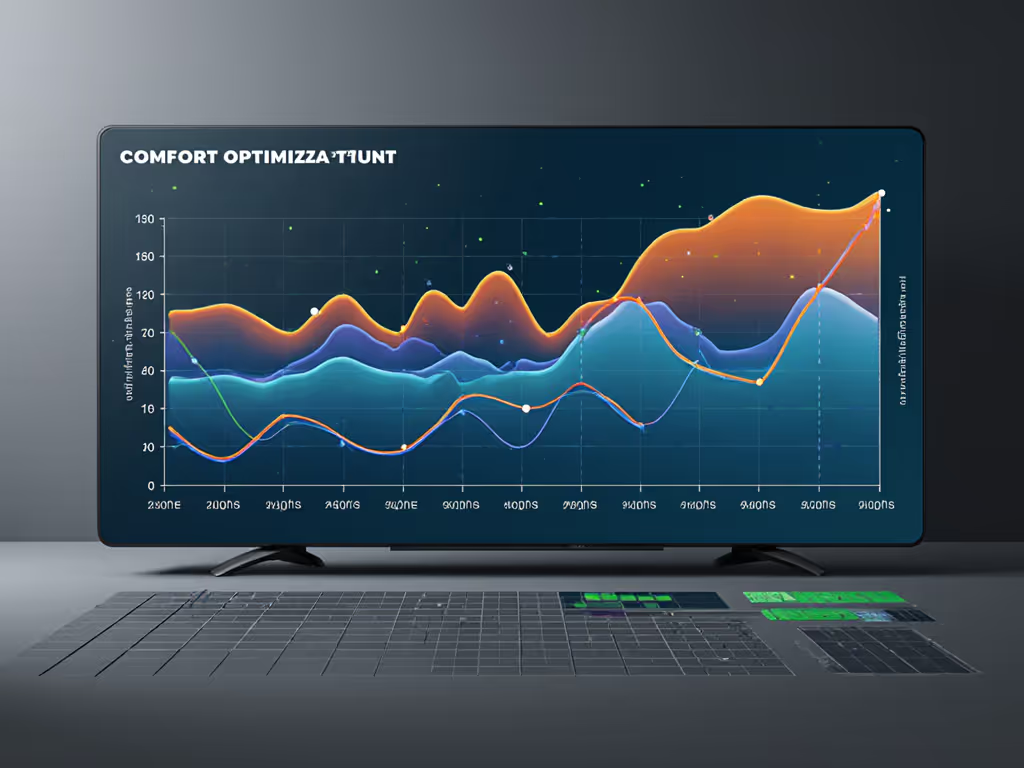
There's a data story in every thermostat. If you export runtime charts from Carrier's online tools or from a connected app, you'll see: If you want help turning those graphs into action, start here: turn energy reports into savings.
Efficient Heat Pump Profile:
- Compressor runtimes ranging from 20-50 minutes per cycle
- Few short cycles (less than 10 minutes)
- Auxiliary heat engaged fewer than 10-15% of heating hours, and only below a set outdoor threshold
- Smooth temperature recovery after setpoint changes (no spikes or undershoot)
Inefficient or Uncomfortable Profile:
- Runtimes under 10 minutes with frequent short-cycling
- Auxiliary heat engaged 30-50% of heating hours (even when outdoor temps are mild)
- Temperature overshoots and undershoots (compressor overshoots setpoint, then auxiliary makes it drop)
- Wide duty-cycle swings (compressor running 80% of an hour, then 5% the next hour)
If your charts show the second pattern, the thermostat isn't the sole culprit, but deadband tuning, stage lockout settings, and sensor placement can improve the picture measurably. Flatten the curve, then judge whether equipment upgrades are truly needed.
Deciding Between Models: The Comparison Framework
Carrier's lineup caters to different budgets and ambitions:
Entry-Level (Basic Non-Programmable):
- Suitable for rental properties or supplemental HVAC.
- No remote sensors, no weekday/weekend programming, no vacation mode.
- Acceptable only if auxiliary heat is controlled externally (e.g., a separate relay or control board).
Mid-Range (Comfort Series with Programming):
- Ideal for homeowners with even homes and standard heat pump setups.
- Supports Hybrid Heat® and staging.
- No remote sensors standard, but optional sensor compatibility on some models.
- 5-year warranty.
Premium (Performance Series with Multi-Zone):
- For homes with zoning, comfort complaints, or multi-stage equipment.
- Full sensor integration, Smart Recovery, Ideal Humidity System® management, and advanced staging.
- 10-year warranty on multi-zone models.
- Higher cost, but gains in comfort and runtime efficiency often justify the investment.
Manufacturer Support and Warranty
Carrier backs Comfort Series models with a 5-year parts limited warranty and Performance Series single-zone models similarly. Multi-zone systems carry a 10-year parts warranty, reflecting their intended durability in complex homes.
Most Carrier thermostats include continuous backlit displays and routine service reminders, so filter changes and maintenance aren't easily forgotten. Tech support is available through your HVAC contractor or directly through Carrier; choose a model that your contractor stocks and services regularly, as availability matters when you need a replacement or adjustment.
Final Verdict: Choosing Your Carrier Heat Pump Thermostat
The best Carrier heat pump thermostat depends on your comfort profile and ambition for tuning:
Choose Comfort Series if:
- Your heat pump home has even temperatures and no known cold zones.
- You want programmable setpoints and Hybrid Heat® support without extra complexity.
- Budget is a meaningful constraint, and you're comfortable with a 5-year warranty.
- You don't plan to add remote sensors or zoning in the next 5-10 years.
Choose Performance Series (Single-Zone) if:
- You have a specific comfort complaint (e.g., morning chill or weekend overshooting) that might be solved with a remote sensor.
- You want to experiment with deadband tuning and Smart Recovery to optimize runtime.
- You value the upgrade path: expansion port compatibility allows you to add sensors or zoning later without replacing the thermostat.
- You're willing to spend more upfront for granular efficiency controls.
Choose Multi-Zone (2-Zone, 4-Zone, or 8-Zone) if:
- Your home genuinely has distinct thermal zones (upstairs/downstairs, wing-by-wing, etc.).
- You've tried set-and-forget solutions and still have comfort trade-offs.
- You're renovating or new-building; the installation cost is marginal relative to the HVAC system.
- You want true heat pump efficiency settings per zone, not just one deadband for the whole house.
Comfort is a graph: flat lines, gentle curves, no spikes. Your thermostat is the pen that writes it. A well-chosen Carrier model, paired with intelligent configuration and sensor placement, removes the frustration of hunting the perfect temperature. You'll see it in runtime and duty-cycle charts, and you'll feel it every morning.
Before you buy, confirm compatibility with your exact HVAC equipment and wiring with your installer. Ask whether the model supports auxiliary lockout and remote sensors. Verify that the warranty and feature set align with your 5-10 year comfort and efficiency goals. Then set the deadband, place the sensor, and let the data tell you whether you've made the right choice.
Flatten the curve, then judge.
Related Articles